How to Create a Transparent PNG Logo for Your Watermark
A logo with a white box around it looks amateur on a photo. Here's how to create a clean transparent PNG logo that works as a watermark on any image.
Add your text or logo to every image at once, place it exactly where you want, then resize, compress and download everything as a ZIP. It all runs in your browser, so your photos stay private and nothing is uploaded.
Your images never leave your device. All processing happens locally in your browser.
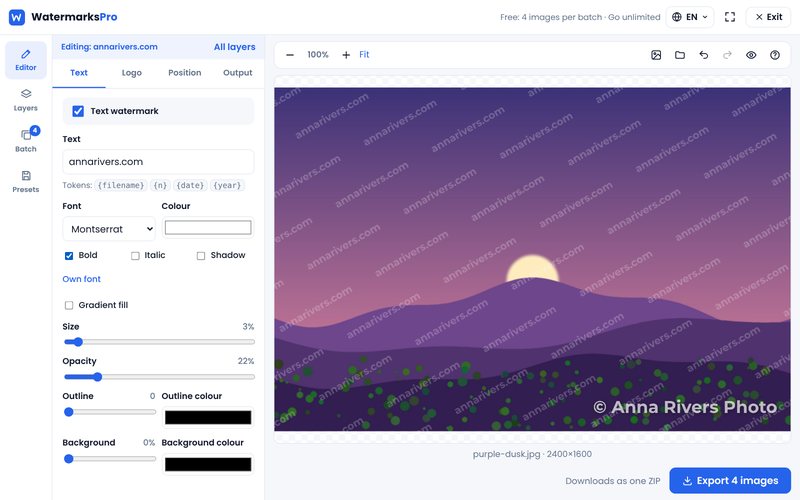
Custom text with full control over font, size, colour, gradient fills, opacity, rotation, shadow, outline and blend modes. Upload your own font too.
Use your own logo or any image as a watermark with adjustable size, rotation and transparency.
Repeat your watermark across the whole image with custom spacing, angle and staggered rows.
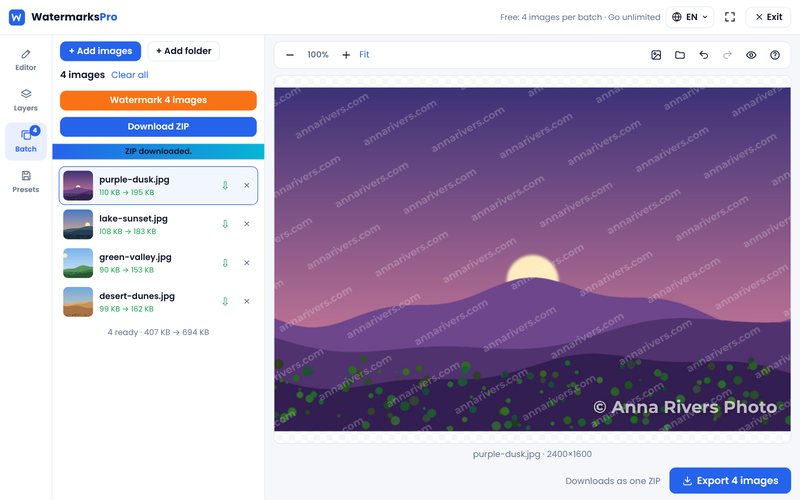
Watermark many photos in one go with live progress, then download them all as one ZIP.
Start from ready-made presets or save your own settings and reuse them anytime. Export and import as JSON.
Open JPG, PNG, WEBP, GIF and BMP. Save as JPG, PNG or WEBP with your choice of quality and size.
Drag watermarks into place on a live preview, click a layer to select it, zoom in, and undo or redo any change.
Stack several text and logo layers, each with its own style and position. Show, hide and reorder them.
Three simple steps to protect your images.
Drag and drop or click to pick your photos, or a whole folder. They stay on your device.

Add text or logo layers, then adjust position, opacity, size and more on the live preview.
Export in JPG, PNG or WEBP at full resolution, one by one or all together as a ZIP.
Most online watermark tools upload your photos to their servers. Watermarks Pro processes every image on your own computer using your browser. That makes it faster on slow connections, and it means your photos are never stored anywhere but with you.
“I am one of the most famous paintings in history, and people use me freely. Don't be used as freely as I. Make sure you watermark your images!”
— Mona Lisa, probablyStart free. Go Pro once and it is yours for life.
A logo with a white box around it looks amateur on a photo. Here's how to create a clean transparent PNG logo that works as a watermark on any image.

Copycat sellers love stealing good product photos. Here's how to watermark them without hurting sales, and which marketplace rules you need to check first.
You don't need a laptop or an app to watermark your photos. Here is how to add a text or logo watermark on an iPhone or Android phone, right in your browser.