How to Watermark Product Photos for Your Online Store

Good product photos take time and money: lighting, props, editing, sometimes a professional photographer. Unfortunately, they are also easy to copy. Copycat sellers regularly lift photos from small shops and use them to sell cheaper, lower quality versions. A watermark won't stop everyone, but it makes your photos far less attractive to steal and keeps your brand on every copy that gets shared.
Check the marketplace rules first
Before you watermark anything, check the image rules of every place you sell. They are not all the same:
- Amazon: the main product image must not contain logos, watermarks or text. Additional images have more freedom, but read the current guidelines for your category.
- Google Shopping: product images with promotional overlays or watermarks can be rejected.
- Your own store (Shopify, WooCommerce and similar): you decide. A small, tidy brand mark is common and acceptable.
- Etsy, eBay and other marketplaces: rules and recommendations change, so check each platform's help pages for the latest image policy.
A simple approach many sellers use: keep a clean version of each photo for marketplaces that require it, and use a watermarked version on your own website, social media and anywhere images are likely to be shared.
Keep it small and on-brand
A product photo has one job: help the customer decide to buy. A big stamp across the product makes it look like a stock preview and can lower trust. For shop images:
- Use your logo or shop name, not a long URL.
- Keep opacity low, around 20 to 35%.
- Size it around 10 to 15% of the image width.
- Use the same position on every photo so your catalog looks consistent.
Where to place it
For product shots, place the watermark close to the product rather than in an empty corner. A mark that slightly overlaps the edge of the product, or sits on the surface it stands on, is much harder to crop out. Avoid covering the parts customers want to inspect, like labels, stitching, texture or size details.
Lifestyle photos and social media
Lifestyle images (your product in use, in a room, on a person) are the ones most often reposted on Pinterest, Instagram and Facebook. These are the photos where a watermark brings the most value: when someone shares them, your shop name goes with them. Here you can use a slightly larger mark, or your shop's web address, so people can find you.
Watermark the whole catalog in one go
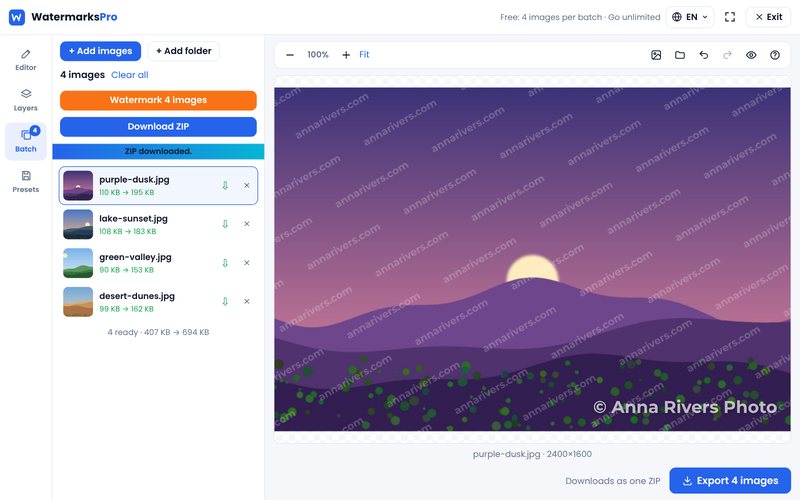
Shops often have dozens or hundreds of images. Doing them one at a time in a photo editor is slow. With our bulk watermark tool you can:
- Add all your product photos at once.
- Add your logo as a layer and set size, opacity and position.
- Choose the output format and quality (JPG or WebP keep file sizes small for fast pages).
- Watermark the batch and download everything as a single ZIP.
- Save the settings as a template, so new products get exactly the same look.
Because Watermarks Pro works in your browser, your unreleased product photos are never uploaded to our server.
Other ways to protect product images
- Keep your originals. Dated, full-resolution files help prove you made the photos if you need to file a takedown or a marketplace complaint.
- Upload web-sized images. Large originals are more useful to thieves than you need them to be.
- Use reverse image search now and then to see where your photos appear.
- Report copies. Most marketplaces have an intellectual property report form for stolen images.
Summary
Check each platform's rules, keep a clean version where watermarks are not allowed, and use a small, consistent brand mark everywhere else. Start with your best-selling products, then add the rest with the free bulk watermark tool.