Watermarking Tips for Youth Sports and School Event Photographers

Youth sports and school events are a big business for US photographers. Every weekend there are Little League games, soccer tournaments, high school football, dance recitals and graduations, and parents want photos of their kids. The challenge is selling those photos when a parent can simply take a screenshot of the online gallery. A smart watermark strategy solves most of that problem.
The screenshot problem
Event photographers usually post hundreds or thousands of images in an online gallery, and parents buy the ones with their child. If those previews are unwatermarked and high resolution, many parents will screenshot them and post them on social media. You did the work, but you didn't get paid.
Preview settings that protect sales
- Tiled or center watermark. A small corner mark is easy to crop. Use a repeating pattern or a large mark across the center, at 30 to 45% opacity.
- Lower resolution. Previews around 1200 pixels on the long edge look good on a phone but are not good enough for prints.
- Your business name and website. When a watermarked preview does get shared, other parents know where to buy.
The aim is a preview that clearly shows the moment (the catch, the goal, the jump) while being obviously unfinished.
Speed matters on game day
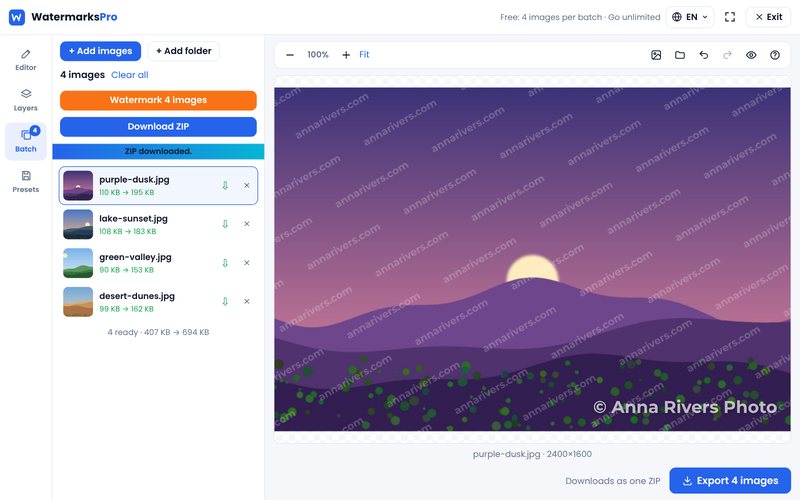
Parents buy most when the excitement is fresh, often the same evening. That means you need to watermark and upload large batches fast. With Watermarks Pro you can:
- Save a template with your watermark and preview size.
- Add a whole folder from the event at once.
- Use the file name prefix to add the team or event name to each file.
- Watermark the batch and download it as one ZIP, ready to upload to your gallery.
Because the tool runs in your browser, there is no upload and download wait, which helps when you have thousands of images and a slow venue Wi-Fi connection.
Be careful with photos of minors
Youth sports photos are photos of children, so treat them with extra care:
- Follow the league's, school's or district's photo policy, and know which families have opted out.
- Use password-protected or private galleries where possible, rather than fully public pages.
- Avoid putting children's full names in file names, captions or public posts.
- Keep your original files secure and delete what you don't need according to your policy.
A watermark is not a privacy tool, but combined with private galleries and smaller preview sizes it makes it much harder for images to be reused out of context.
Promote with your best shots
Pick a handful of great action shots for your own Instagram or Facebook page, with permission where required. Use a smaller, cleaner watermark with your business name for these. They are your advertising for the next season, and parents will tag each other.
Pricing tip
Many event photographers offer a digital download with a personal use license alongside prints, often at a price that is not much more than a single print. When parents can buy a clean digital file for a fair price, fewer of them bother with screenshots of watermarked previews.
Summary
Watermark previews clearly, keep them small, upload fast and keep galleries private. Set it up once as a template in our free bulk watermark tool, and every game day takes minutes instead of hours.